
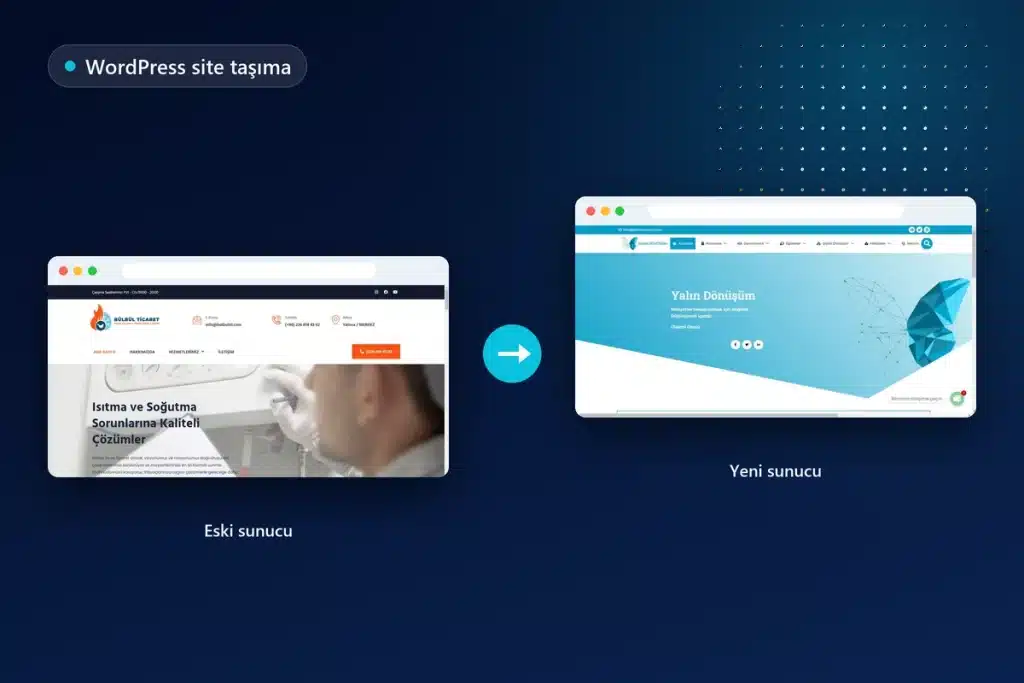
WordPress site migration involves more than copying files and the database from one server to another; the domain name, DNS, email, and search engine records are also part of the same transition. The address can stay the same when the hosting company changes, while a rebranding may also involve a change of domain name. The risks and steps involved in these two situations are different. A single DNS record forgotten during a WordPress hosting migration can stop business email, while a missing redirect can weaken the search visibility accumulated over the years.
The following sections discuss, in order, how to identify the migration type, the preparation checklist, the steps for changing servers and domains, the procedures on Google’s side, and monitoring after the transition. The technical explanation is based on the WordPress.org migration documentation and Google Search Central’s site migration guides. Based in Maltepe Gülsuyu, Onur Freelance provides migration support through face-to-face or online meetings with businesses in Istanbul, and remotely for websites elsewhere in Turkey and abroad.
Let’s put together your migration plan
When you share your current hosting, destination server, and whether the domain name will change through WhatsApp, the migration type is identified and a quote is prepared and sent on the same day.
Which type of migration is needed?
WordPress migrations fall into three main categories: changing the server while keeping the same address, changing the domain name, and taking a test copy live. The category involved directly determines which procedures are required on Google’s side. If only the folder structure within the same domain changes, this is treated as a separate situation as well.
| Scenario | What changes | What is required on Google’s side |
|---|---|---|
| Hosting or server change | Server, IP address, DNS records | Redirects are unnecessary because URLs do not change; crawling may temporarily slow down |
| Domain name change | All addresses on the website | A 301 for each old address, a new sitemap, and the Search Console Change of Address tool |
| Transition from HTTP to HTTPS | The protocol of the addresses | 301 redirects and canonical updates; the Change of Address tool is not used |
| Permalink or folder structure change | URL paths within the same domain | 301 mapping between the old and new paths |
| Taking a test copy live | The development address changes to the actual domain name | Updating addresses in the database and ensuring the test address does not remain indexed |
Google recommends avoiding several infrastructure changes at once and changing one thing at a time. If both hosting and the domain name will change, scheduling the two steps separately makes it easier to find the source of a potential problem.
Preparation checklist before migration
Half of a safe WordPress site migration process is completed before the transition day. When a migration begins without a complete inventory of the existing setup, a setting left on the old server is usually noticed only when a problem occurs. The following items are documented during preparation:
- Full backup: Files and the database are backed up separately, and one copy is stored outside the server.
- DNS record inventory: A complete list is prepared of A, CNAME, MX, TXT (SPF, DKIM, DMARC), and any verification records.
- Server requirements: The current PHP version, database version, memory limit, and custom server rules are recorded.
- URL inventory: Indexed addresses and addresses receiving traffic are listed using the sitemap and Search Console data.
- Integrations: Payment infrastructure, SMTP, shipping, CRM, and analytics connections are identified if they depend on the server IP or domain name.
- Scheduled tasks: Server-side cron jobs and automatic backup settings are listed for transfer to the new environment.
The company where the domain is registered and the location where DNS is managed are also clarified at this stage. Domain registration and DNS management may be with different companies; a change has no effect if it is not made in the correct control panel.
WordPress hosting migration: changing servers while keeping the same address
In a WordPress hosting migration without an address change, the website is made fully functional on the new server before DNS is pointed to that server. The WordPress migration documentation from WordPress.org states that, in this situation, copying the files and database and updating wp-config.php if the database details have changed is sufficient. In practice, the process follows this order:
- A database and database user are created on the new server, and a PHP version compatible with the existing website is selected.
- Files are compressed and transferred; uploads, themes, and plugins in the wp-content folder are copied in their entirety.
- The database is exported and imported into the new server; the character set and table prefix are checked.
- The database name, user, password, and server information in wp-config.php are updated with the new values.
- Before DNS is changed, the website is opened and tested on the new server through a local hosts file or a temporary address.
- Permalinks are saved again, and .htaccess or server redirect rules are reviewed for the new environment.
- Once everything has been verified, the DNS records are pointed to the new server.
According to Google’s migration guide for moves without URL changes, a temporary decrease in Googlebot’s crawl rate immediately after moving to the new infrastructure is normal. During this period, access logs on the old and new servers are monitored together.
Page contents

DNS, TTL, and email (MX) records
A DNS change does not appear everywhere immediately, because internet service providers cache records according to their TTL (time to live) values. Google recommends lowering the TTL at least one week before migration to shorten this period. Until propagation finishes, some visitors reach the old server and others reach the new one; this is why the old hosting is not shut down immediately.
When moving a WordPress website to another hosting provider, the most common problem occurs with email rather than the website. If business email runs on the old hosting and MX records are not transferred when DNS management for the domain moves to the new company, incoming messages can disappear silently. Incomplete transfer of SPF, DKIM, and DMARC records can also cause outgoing email to land in spam folders.
If mailboxes are on the same server as the website, correspondence in the old mailboxes must also be transferred separately to the new server. The email service to be used is decided before migration begins.
Changing a WordPress domain: addresses in the database
The most critical point in changing a WordPress domain is updating old addresses stored in the database using the correct method. WordPress stores the site address and WordPress address in the settings table; the old domain can also appear hundreds of times in post content, image links, and page builder data.
The WordPress.org documentation explains that the site address can be changed through Settings > General, through WP_HOME and WP_SITEURL definitions added to wp-config.php, or through the temporary RELOCATE method. The same documentation gives explicit warnings on two matters. First, some plugins and page builders store data in serialized form; a plain-text find and replace in the database corrupts this data, so serialization-aware tools or WP-CLI’s search-replace command are used. Second, the GUID column for posts must never be changed under any circumstances.
When the domain changes, absolute links, menus, form notification addresses, and email templates on the website are also checked individually. These checks are more extensive in multilingual or multisite installations because additional tables are involved.
Let’s manage your domain change step by step
Once the old and new domains, hosting access, and the email service in use are shared, URL mapping, the DNS plan, and Search Console procedures are brought together in a single schedule.
Preventing SEO losses in a migration with URL changes
The foundation of limiting SEO losses during a WordPress site migration that changes the URL structure is permanently redirecting every old URL to its corresponding new URL. Google’s guide to site moves with URL changes recommends server-side 301 or 308 redirects and asks that these redirects be retained for as long as possible, generally at least one year. The redirect plan is built in the following order:
- URL mapping table: A new counterpart is identified for every old address; all old pages are not redirected together to the homepage.
- Direct destination: Redirect chains are avoided, and each old address reaches its final destination in a single step.
- Canonical tags: Each new page carries a self-referencing canonical tag; no tags pointing to the old domain remain.
- Internal links: Links in menus, content, and the footer are updated directly to the new addresses rather than being left to redirects.
- Sitemaps: Old and new sitemaps are submitted to Search Console during the transition; the old one is removed once the process has settled.
- Pages that are not migrated: Content without a counterpart on the new website returns a 404 or 410.
Google states that, for medium-sized websites, the gradual replacement of old addresses by new ones in search results can take several weeks or longer. Ranking fluctuations during this period are a natural part of migration.
When is the Search Console Change of Address tool used?
The Change of Address tool is used only when a domain or subdomain changes; it is not used for a transition from HTTP to HTTPS or for path changes within the same domain. For the tool to work, the old and new properties must have been verified in Search Console with the same Google account, and the 301 redirects must already be live.
According to Google’s help page for the Change of Address tool, after the move is reported, Google monitors the relationship between the old and new websites for 180 days; at the end of this period, it treats the old website as a separate site. The same page recommends renewing the old domain for at least another year to prevent other people from purchasing and misusing it. Redirects also stop working on an expired domain.
A list of external sources linking to the website is also prepared at this stage; for important links, the relevant websites can be asked to update the address. If crawl errors continue for weeks after the transition, the situation is addressed through technical SEO services.
Reinstalling the SSL certificate on the new server
Because an SSL certificate operates on the server, it must be reinstalled on the new server when hosting changes. If DNS is switched before the certificate is installed, visitors encounter a security warning in their browsers and HTTPS addresses fail to open.
Most automatically generated certificates are issued by verifying that the domain points to the new server; the certificate may therefore need to be created immediately after DNS propagation, with the website running over HTTP for a short period. If a paid certificate is used, the private key and intermediate certificates are transferred securely from the old server. After installation, the website is scanned for any remaining images or scripts loaded over HTTP that trigger mixed content warnings.
Testing in a test environment and the launch day
Every WordPress site migration is first tested in a test environment, then taken live at a time when traffic is low. Google also recommends scheduling migration during a quieter traffic period whenever possible. The test copy is kept closed to search engines, but it is essential to verify that this restriction is removed from robots.txt and WordPress reading settings when going live.
During testing, the homepage, category and product pages, contact forms, checkout, member login, and administration panel are opened individually. DNS is not changed until images, the caching plugin, scheduled tasks, and outgoing email work on the new server. The launch day follows this order:
- A brief editing pause is introduced on the live website for final content and order changes.
- The final database changes are transferred to the new server.
- DNS records are switched, and propagation is monitored.
- SSL is installed, and the HTTPS redirect is verified.
- Forms and outgoing email are tested again using the live address.
For WooCommerce stores, this pause is especially important to prevent orders received between the final backup and the DNS change from being lost.
The difference between one-click migration with a plugin and planned migration
In common practice, migration is seen as simply creating an archive with a backup plugin and restoring it on the new server. This method can work for small, simple websites; however, the plugin only moves what is inside WordPress. DNS, MX records, SSL, server cron jobs, redirect rules, and Search Console procedures remain outside the plugin’s scope.
In a planned migration, the first question is not “how is the website copied” but “what will the transition affect.” The preparation checklist, testing in a test environment, URL mapping, and post-transition monitoring are addressed within the same plan. For large databases, page builder data, and e-commerce websites, this plan also anticipates situations where the plugin reaches a file size or timeout limit.
After migration, pages loading more slowly than expected on the new server can result from hosting settings or caching configuration; in this situation, WordPress speed optimization is considered as a separate work item.
The scope of WordPress site migration services and factors that determine the quote
Onur Freelance’s WordPress site migration service covers the preparation inventory, backups, file and database transfers, planning for DNS and email records, SSL installation, URL mapping and 301 redirects if required, Search Console procedures, and post-transition checks. In the first weeks after migration, crawl and indexing reports in Search Console, 404 errors, and email flow are monitored.
Since every website has a different structure, a fixed price list is not used for migration; a firm quote is prepared after reviewing the website and destination server. The items that determine the quote are:
- Whether the domain name changes and the number of URLs requiring redirects
- File and database size, use of a page builder, and a multilingual setup
- Sections that generate live data, such as WooCommerce, memberships, or reservations
- Whether business email will also be migrated
- The number of websites to be migrated within the same hosting account
If traces of malicious code are found on the website to be migrated, hacked WordPress site recovery is performed first; if an infected website is moved unchanged to the new server, the problem moves with it. If regular updates and backup monitoring are requested after the transition, support can continue through the WordPress maintenance and updates service. Other WordPress work is listed together on the WordPress services page.
Let’s move safely to the new server
You can get in touch between 09.00–21.00 to ask a question about migration or start with the preparation inventory; a quote is shared after the scope has been reviewed.
Related guides
Frequently asked questions
Does WordPress site migration lower SEO rankings?
If the address stays the same and the website works with all its functions on the new server, migration alone does not lower rankings; only a temporary slowdown in crawling may occur. If the domain changes, every old address must be redirected to its counterpart with a 301, and according to Google, it can take several weeks or longer for new addresses to replace the old ones.
Will my website go offline when moving WordPress to another host?
A correctly planned migration does not take the website offline. The website is first made operational and tested on the new server, DNS is switched only afterward, and the old hosting is kept running until propagation is complete.
Why does a DNS change not appear immediately?
Because internet service providers cache DNS records according to their TTL values, the change does not reach everywhere at the same time. Google recommends lowering the TTL at least one week before migration to speed up the transition.
Does changing hosting affect business email?
It is affected if email is on the old hosting and MX records are not transferred correctly; incoming messages can be lost. SPF, DKIM, and DMARC records must also be migrated, and correspondence in the old mailboxes must be transferred separately.
How is a WordPress domain changed?
First, URL mapping between the old and new addresses is prepared, database addresses are updated using a tool that does not corrupt serialized data, and each old address is redirected to its new address with a 301. The new website is then verified in Search Console, and Google is notified through the Change of Address tool.
Is the Search Console Change of Address tool used for an HTTPS transition?
No, the tool is used only for domain or subdomain changes. For a transition from HTTP to HTTPS, 301 redirects, canonical updates, and a new sitemap are sufficient.
How long should the old domain be retained?
In its site migration guide, Google recommends keeping redirects for as long as possible, generally at least one year; its Change of Address help page recommends renewing the old domain for at least another year. If the domain expires, redirects stop working and someone else can register the domain.
How is the WordPress site migration fee determined?
The fee depends on whether the domain changes, the number of URLs to redirect, website and database size, sections generating live data such as WooCommerce or memberships, and whether email will also be migrated. A firm quote is shared after reviewing the scope rather than using a fixed price.






