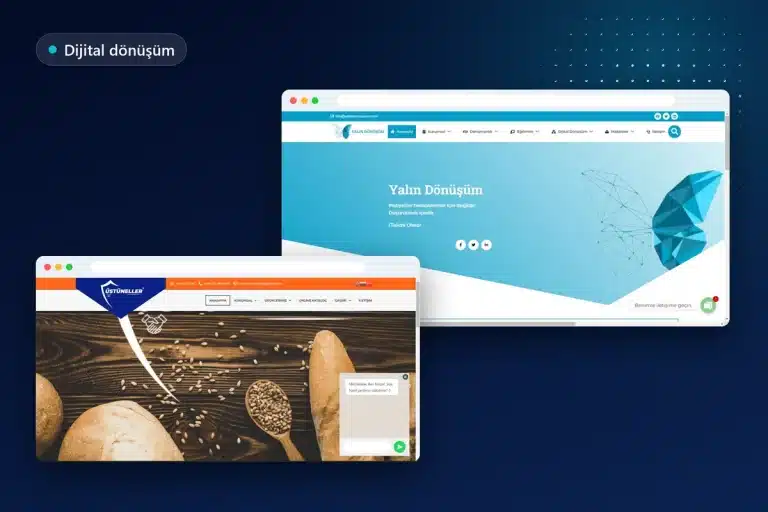
Corporate website trends in 2026 are shaped more by criteria published by official organizations than by fashions in color or animation: INP, which measures response time to clicks, WCAG 2.2 accessibility criteria, AI features in Google Search, changing expectations for structured data, passkeys providing passwordless login, and the KVKK cookie guide. These six areas share a common feature: each is based on documentation from a source such as Google, W3C, or the Personal Data Protection Authority and affects parts of a corporate website that can be audited immediately.
The word “trend” is deliberately used narrowly in this article. Instead of predictions, expectations, or design fashions, it covers only changes with identifiable sources and explains separately why each matters and how to implement it. Every date-dependent piece of information comes from the relevant organization’s own publication.
Which changes actually affect corporate websites in 2026?
Changes affecting corporate websites fall into five areas: performance, accessibility, search visibility, login security, and data protection. The table below summarizes each change together with its source and the first step to take:
| Change | Source | Effect on corporate websites | First step |
|---|---|---|---|
| INP became a Core Web Vitals metric | web.dev (Chrome team) | Menu, form, and button responsiveness is measured | Examine the Core Web Vitals report in Search Console |
| WCAG 2.2 was published | W3C | Rules for touch targets, focus visibility, and forms | Check button sizes and the fixed menu on mobile |
| AI features | Google Search Central | Pages can appear as supporting links | Verify that important information appears as text on the page |
| FAQ rich results were restricted | Google Search Central Blog | FAQ markup no longer carries expectations of visible results | Review structured data for accuracy |
| Passkeys | Google for Developers | Passwordless options for dealer, member, and administrator logins | Ask about support in systems with login panels |
| Cookie guide | KVKK (Turkey’s Personal Data Protection Law) | Consent panel design and cookie classification | Create an inventory of the website’s cookies |
None of the changes in the table began only in 2026; some were announced several years ago. What brings them into corporate website trends is that many websites are still built to older criteria, while websites renewed or built from scratch this year are planned within this framework. A website considered fast, accessible, and compliant a few years ago does not necessarily meet today’s criteria.
INP: response time to clicks is now a core metric
Interaction to Next Paint (INP) replaced First Input Delay (FID) on March 12, 2024, becoming one of the Core Web Vitals metrics. According to the announcement on web.dev , FID was removed from the program during the same transition. INP measures how quickly a page provides a visual response to clicks, taps, and keyboard interactions made after the page opens.
Why it matters: On corporate websites, visitors accomplish their main tasks through interaction: opening the mobile menu, switching tabs, and submitting a quotation form. web.dev considers 200 milliseconds or less good and over 500 milliseconds poor at the 75th percentile of field data. A website whose menu opens late can seem broken to users, however modern it looks.
How to implement it:
- Identify page groups with poor INP or needing improvement through the Core Web Vitals report in Search Console
- Remove unused plugins and third-party scripts (chat bubbles, heatmaps, old tracking codes)
- Replace sliders, popups, and heavy animations with simple alternatives
- Provide users with immediate visual feedback after submitting forms
All speed metrics and how to improve LCP and CLS are discussed in detail in the Core Web Vitals guide .
Page contents

WCAG 2.2: new success criteria for accessibility
WCAG 2.2 was published as a W3C Recommendation on October 5, 2023, adding new success criteria to 2.1 for areas such as touch target size, focus visibility, and authentication. W3C’s page on what is new in WCAG 2.2 explains these criteria individually; it also states that criterion 4.1.1 Parsing is now obsolete.
Why it matters: Many new criteria directly affect design patterns commonly seen on corporate websites. If a fixed top menu or cookie banner covers the element focused by a keyboard user, buttons are too close together, or a form requests the same information twice, the website conflicts with these criteria. Accessibility has become a corporate expectation both for reaching a wider audience and for companies working with international customers.
How to implement it: The new criteria become concrete items that can be reviewed on a corporate website in a few hours:
- Target size (2.5.8, AA): Touch elements must be at least 24×24 CSS pixels or have sufficient surrounding space; mobile menus, social media icons, and footer links should be measured from this perspective.
- Focus visibility (2.4.11, AA): When navigating with the Tab key, the focused element must not be hidden beneath a fixed header, fixed bottom bar, or cookie panel.
- Dragging movements (2.5.7, AA): Elements such as sliders and maps that work only by dragging should have arrows or buttons usable with a single tap.
- Consistent help (3.2.6, A): Telephone, WhatsApp, or contact links should appear in the same order and position on every page.
- Redundant entry (3.3.7, A): In multi-step quotation forms, users should not be asked to reenter information already provided.
Some of these checks can be performed with automated tools, but focus and touch problems are most reliably identified through testing on a real phone and with a keyboard.
AI features in Google Search and corporate content
Google explicitly states that appearing in features such as AI Overviews and AI Mode requires no additional requirements or special optimization beyond basic SEO practices. According to Google Search Central’s documentation on AI features , a page need only be indexed and eligible to appear with a snippet to be shown as a supporting link in these answers; appearance is nevertheless not guaranteed.
Why it matters: As complex queries involving comparisons are answered through AI responses, the possibility of a corporate website’s pages that clearly answer a question appearing as sources in those responses becomes important. The same document also states that traffic from AI features is reported within the “Web” search type in the Search Console Performance report, rather than separately.
How to implement it: The document’s recommendations translate into concrete tasks for corporate websites. Important information such as services, pricing criteria, service areas, and contact details is written as text rather than embedded in images; every page is made easy to find through internal links. Structured data is matched exactly to visible text on the page, and Google Business Profile details are kept current.
Google also emphasizes separately that these features require neither new machine-readable files nor special schema markup. Page-level checks are listed item by item in the SEO-friendly website checklist .
Changing expectations for structured data: FAQ and How-to results
In its Search Central Blog announcement dated August 8, 2023, Google explained that FAQ rich results would appear only for well-known, authoritative government and health websites. The September 14, 2023 update to the same announcement removed How-to rich results from desktop as well, retiring that result type.
Why it matters: Many corporate websites had added FAQ markup to display expandable question-and-answer boxes in search results. This expectation is no longer fulfilled for most websites. In the same announcement, Google also states that unused structured data does not cause search problems and need not be proactively removed.
How to implement it: The frequently asked questions section should be written to answer visitors’ actual questions rather than to obtain rich results. Structured data retains its value as long as it remains consistent with information visible on the page, such as business details, contact addresses, and services.
Passkeys: passwordless login comes to corporate panels
Passkeys are an authentication method intended to replace passwords, allowing users to sign in with a fingerprint, facial recognition, PIN, or pattern. Based on standards developed by the FIDO Alliance, this method is highlighted in Google’s developer documentation for its phishing resistance and for storing only a public key on the server instead of a password.
Why it matters: Password leaks are among the most serious risks for corporate websites with dealer logins, customer panels, or membership areas. Because a passkey works only for the website where it is registered, a fake login page cannot deceive the user. The subject also intersects with accessibility: WCAG 2.2’s accessible authentication criterion calls for not requiring a cognitive test such as remembering a password at login without an alternative.
How to implement it: For websites with membership or dealer panels, ask whether the software supports passkeys; if not, provide at least two-step verification and a login form compatible with password managers. On the administration side, enable passkeys for domain, hosting, and email accounts where the provider offers them.

The KVKK cookie guide and cookie consent panels
The KVKK Guidelines on Cookie Practicesexplain through concrete examples which cookies require explicit consent on websites using cookies and how the consent panel can be designed. According to the guide, cookies for behavioral advertising require explicit consent, and merely entering a website does not mean consent to cookies has been given.
Why it matters: On a significant portion of corporate websites, advertising and remarketing codes start running before visitors make any choice. The guide presents equal treatment of “accept,” “reject,” and “preferences” options in color, size, and font size as an example of good practice; it also highlights the importance of cookies requiring explicit consent being inactive by default in the panel.
How to implement it: First list all cookies and third-party codes running on the website, then classify each according to its purpose. Those requiring consent are not run until the user approves, and the privacy notice and consent step remain separate. The business needs to work with its own advisor for legal assessment; the technical side consists of configuring the consent panel and tag management correctly. Updating the inventory whenever a new analytics or advertising code is added should also be a permanent part of the process.
Let us examine the existing website against these criteria together
INP values, mobile touch targets, the cookie panel, and structured data are checked individually to establish priorities during a free preliminary assessment. Send the website address through WhatsApp, and let us evaluate the findings and possible actions together.
Trend or fashion? Why were these left out of the list?
Topics such as dark mode, micro-interactions, large typography, and glass effects frequently appear in trend lists, but no standard or official announcement makes them binding for corporate websites. They are therefore not counted among the corporate website trends in this article.
These choices are not entirely without function; used correctly, they can add an appearance suited to the brand. The criterion is that the preferred visual language does not conflict with the rules above: animation must not harm INP, light-colored text must not violate contrast rules, and large images must not reduce page speed. Visual decisions should emerge from the brand’s identity rather than be copied from a list.
Implementation order for corporate website trends in 2026
Instead of addressing all six changes at once, prioritizing by the scale of risk and impact produces more efficient results. A reasonable implementation sequence for a corporate website is as follows:
- Cookie inventory and consent panel: This comes first because it involves legal obligations.
- Search Console and Core Web Vitals review: Identify page groups performing poorly on INP and other metrics.
- Mobile accessibility review: Correct touch targets, focus visibility, and form fields.
- Content audit: Convert information trapped in images into text and arrange service pages to answer questions directly.
- Structured data consistency: Check that markup matches the information visible on the page.
- Login security: Enable two-step verification or passkeys on administrator accounts and consider passwordless options if a membership panel exists.
If many problems appear in the first three items, renewing the website may make more sense than piecemeal corrections. The criteria for this decision are also covered in the article on when to renew a corporate website ; for WordPress-based websites, performance is addressed within speed optimization and performance improvement .
Common mistakes when implementing trends
The most common mistake when implementing corporate website trends is treating a trend as a visual novelty without checking the metric itself. For example, adding a new animation may look modern, but if that animation slows menu responsiveness, it worsens the INP value.
The second mistake is adding a cookie panel only visually while continuing to run the advertising codes behind it independently of consent; for the panel to actually work, tags must trigger according to preferences. The third mistake is searching for special files or markup for AI features while neglecting the content itself; Google’s documentation explicitly states that such additional files are unnecessary.
The fourth mistake is assuming accessibility consists only of color contrast. WCAG 2.2’s new criteria focus on interaction details such as touch areas, keyboard focus, repeated form fields, and login steps; testing therefore needs to take place on a real phone and with a keyboard. If a new website is being planned, including these areas in the scope from the outset is the most economical approach to the corporate web design process.
Let us prepare the priority list together
Which change is urgent for the existing website and which can wait depends on its structure. Share the website address and any membership or form structure, and let us prepare an actionable priority list together.
Frequently asked questions
What is the most important change for a corporate website in 2026?
No single change stands out; cookie consent is generally addressed first because it involves legal obligations. Core Web Vitals metrics, particularly INP, and mobile accessibility follow.
What is INP, and what is a good INP value?
INP is a Core Web Vitals metric measuring visual response time to clicks, taps, and keyboard interactions on a page. According to web.dev, at the 75th percentile of field data, 200 milliseconds or less is considered good and over 500 milliseconds poor.
Is WCAG 2.2 mandatory for corporate websites?
WCAG 2.2 is a W3C standard; which organizations are legally required to follow it depends on the legislation of the country and industry. Even without a legal obligation, the criteria are a strong reference for corporate websites because they directly improve usability.
Is a special setting required to appear in Google’s AI features?
No; according to Google’s documentation, there is no requirement beyond basic SEO practices or special code to add to the page to appear in these answers. The page must be indexed and eligible to appear with a snippet, and its content must be helpful and reliable.
Should FAQ structured data be removed from the website?
It does not need to be removed; Google states that unused structured data does not cause search problems. However, since FAQ rich results are no longer displayed for most websites, no visible gain should be expected from this markup.
Does every corporate website need passkeys?
No; they are meaningful only for websites with login areas such as membership, dealer, or customer panels. On websites without login areas, using strong authentication for administrator and hosting accounts is a sufficient and important step.
Is adding a cookie banner enough for KVKK compliance?
No, the banner is only the beginning; cookies requiring consent must actually remain inactive until the user approves. The KVKK guide also presents equal treatment of acceptance and rejection options as good practice.
Does the website need a complete rebuild to follow these trends?
Not always; tasks such as cookie panel adjustments, button sizes, and script cleanup can be handled on the existing website. If the platform is old and problems are numerous, renewal becomes a more economical option.

Call us
Call us for detailed information.
Let us call you!
Share your number and let us call you!
Our other services
- › Corporate web design
- › E-commerce website development
- › SEO optimization
- › WordPress website development
- › Google Ads management
- › WordPress speed optimization
Service areas
- › Web design in Sakarya
- › Web design in Tekirdağ
- › Web design in Bursa
- › Web design in Beşiktaş
- › Web design in Şişli
- › Web design in Tuzla
- › Web design in Ümraniye
- › Web design in Kadıköy
- › Web design in Istanbul
- › Web design in Ankara
- › Web design in Ataşehir
- › Web design in Üsküdar
- › Web design in Kartal
- › Web design in Maltepe
- › Web design in Pendik
- › Web design in Kocaeli
- › Web design in İzmir
- › Web design in Antalya