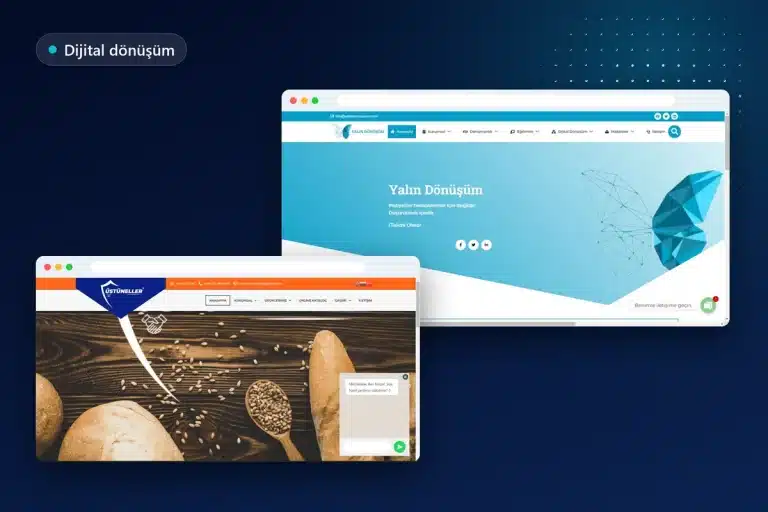
Building a website with AI is a realistic starting point for a simple promotional website with a few pages: tools that produce a page layout, draft copy, and visual suggestions from a short description quickly deliver an initial version. Having AI build a website does not, however, mean that the website is ready to go live. Brand language, the accuracy of information, legal texts, accessibility, speed, and ownership of accounts still require human oversight.
This guide explains where AI helps in the website development process for small and medium-sized businesses, where it falls short, and what Google’s official guidance says about AI-generated content. It then covers a step-by-step approach, a hybrid approach, and situations that require professional support. Onur Freelance has no commercial relationship with the tools mentioned; their features were reviewed on the manufacturers’ official pages.
Video transcript
Can you build a website with AI? For a simple promotional website, yes; an initial version appears quickly, but publishing it without a review is risky. AI quickly produces the raw materials for a website: draft copy, page layout suggestions, color and font experiments, and small pieces of code. The benefit is making decisions based on a tangible draft. Its weaknesses are information accuracy, legal texts, brand originality, accessibility, speed, and search engine infrastructure. The issue most often overlooked is whose name the domain and hosting accounts are opened in. Google does not consider content being generated by AI a problem in itself; it looks at whether the content is useful, original, and trustworthy. Producing large numbers of pages that add no value can, however, violate its spam policy. First, the purpose and page list are established, real materials are collected, and accounts are opened in the business’s name. After running the tool, the text is corrected line by line; headings, mobile appearance, and forms are tested. All the steps and Google’s official guidance are on the page. If a draft is ready or there is only an idea, you can write via WhatsApp. Onur Freelance dot com.
Let us evaluate your AI draft together
When an AI-generated draft, a screenshot, or a list of the pages wanted on the website is sent in a message, which parts can be used is discussed in a free preliminary evaluation, and a quotation is provided on the same day.
Is it really possible to build a website with AI?
Yes, building a website with AI is possible for a simple promotional website; a draft or initial version can be prepared with these tools, but publishing it without reviewing it is risky. The tools are strong at solving the blank-page problem, while their weakness is getting business-specific information and technical details right.
Tools in this field fall broadly into two groups. The first group consists of the AI features of closed website builders that host the website on their own infrastructure: a description is entered, and the platform generates pages and sections. The second group includes AI plugins that work inside an open system such as WordPress, along with general-purpose chat assistants; these generate text, layouts, or pieces of code, while the person managing the website handles setup and publication.
Whichever group is chosen, the result is a starting point; it does not become a company website that inspires confidence until the menu, contact information, and service descriptions have been corrected.
What AI does well in the website development process
AI is successful at quickly producing the raw materials for a website: draft copy, page layout suggestions, visual drafts, and small pieces of code. The main benefit is making decisions based on a tangible draft instead of a blank screen.
- Draft copy: An initial version of about us content, service descriptions, and frequently asked questions; tone and length can be adjusted through a prompt.
- Layout suggestions: Which sections should appear on the homepage and in what order, and an outline of headings and subheadings for a service page.
- Visual drafts: Color and font pairings, section backgrounds, or illustration experiments; these help establish a direction before the final design.
- Code snippets: Starter code for a small styling adjustment, a simple calculation tool, or a form field.
These outputs gain value when reviewed by someone who knows the work. Service copy written by AI does not know how the business actually operates; the code snippet it generates does not check for itself whether it conflicts with the rest of the website.
Where AI falls short
The areas where it falls short are those that determine the website’s reliability and longevity: brand originality, information accuracy, legal texts, accessibility, speed, SEO infrastructure, security, and account ownership. None of these issues is resolved with a single prompt.
Brand originality
Tools tend to produce results close to commonly seen patterns; websites generated for two businesses in the same industry using similar prompts can look very similar. The tone of voice, photographic language, and visual identity that distinguish a brand from competitors can only be established with the business’s own materials. The difference between a ready-made template and a brand-specific design is also explained in the original design guide.
Information accuracy
AI can fill in missing information with details that seem plausible but are incorrect. A service never offered, a certification not held, or incorrect opening hours can quietly find their way into the text. Before publication, every claim and every contact detail is compared against the business’s actual information.
Legal texts
The disclosure notice under KVKK (Turkey’s Personal Data Protection Law), cookie policy, and, on websites that make sales, distance sales agreement are prepared according to the data the business actually collects and the tools it uses. A general template cannot know which analytics or advertising tags run on the website, what information the form requests, or with whom the data is shared. A list of the legal pages that a website should contain appears in the article on legal requirements for e-commerce websites. This section provides general information and is not legal advice.
Accessibility
Meaningful alternative text for images, sufficient color contrast, keyboard-accessible menus, and labeled form fields may not automatically be correct in the generated design. The W3C’s Web Content Accessibility Guidelines (WCAG) are the international reference on this subject; checks are completed by navigating with a keyboard and testing with a screen reader.
Speed
Automatically generated pages can become heavy with large images, unnecessary animations, and additional scripts. Image compression, caching, and server settings are the responsibility of the person carrying out the setup.
SEO infrastructure
Heading hierarchy, page titles and meta descriptions, a clean URL structure, a sitemap, redirects, and structured data ensure that search engines understand the website correctly. A tool can generate a page, but it does not plan which page will answer which search, or whether two pages are competing with each other for the same keyword.
Security and updates
After the website goes live, software updates, backups, administrator account security, and form spam protection require regular attention. AI can remind you about these tasks but does not take responsibility for them; on closed platforms, infrastructure maintenance is the platform’s responsibility, while in open systems it belongs to the website owner.
Domain and hosting ownership
The issue most often overlooked when building a website with AI is whose name the accounts are opened in. When the domain, hosting, and platform accounts are not created using the business’s own email address, control remains with someone else, however quickly the website is built.
Page contents

What does Google say about AI-generated content?
Google does not consider content having been generated with AI a problem in itself; it evaluates whether the content is useful, original, and trustworthy. Search Central’s guide to using generative AI contentstates that generative AI can be useful when researching a topic and adding structure to original content.
The same guide also draws the boundary clearly: using AI tools to generate large numbers of pages that add no value for users can violate Google’s spam policy on scaled content abuse. The practical points for a business website are as follows:
- Accuracy, quality, and relevance are considered in page titles, meta descriptions, structured data, and image alternative text as well as in the body copy.
- Readers who may wonder how the content was prepared can be given contextual information about this.
- For e-commerce, Google Merchant Center has separate policies; AI-generated images and product copy are required to be identified as such.
The Search Central blog’s article about AI-generated content takes the same approach. According to the article, using AI does not give content a special advantage in search; automation primarily intended to manipulate rankings violates spam policies. For a small or medium-sized business, the meaning is clear: building a website with AI is neither an advantage nor a disadvantage in search visibility on its own; the copy has value when enriched with the business’s experience and accurate information. Visibility in AI-based search experiences is covered on the AI search optimization page.
What is the best AI for a website?
There is no single tool that suits everyone as the best AI for a website; the right choice depends on where the website will be hosted, who will update it, and the possibility of moving it later. Likewise, the question of the best AI for web design is answered through selection criteria rather than a product name. These questions provide guidance when choosing a tool:
- Ownership: Which account holds the website and content, and in whose name is the domain registered?
- Exporting: Can the content and design be moved to another system, or do they remain on the platform?
- Editability: Can the generated page be modified manually, section by section?
- Technical SEO access: Can the page title, meta description, URL structure, redirects, and structured data be configured?
- Turkish language quality: Are suffixes, special characters, and industry terms correct in the generated text?
- Data privacy: How are customer information or documents uploaded to the tool processed?
To give examples of two different approaches: according to Wix’s AI website builder page, AI creates the website when the desired website is described; every detail can then be changed using a drag-and-drop editor or the platform’s built-in AI assistant Aria, and the website runs on Wix’s managed infrastructure. Elementor’s AI tools page introduces Angie, which is installed as a WordPress plugin: the described page sections are built as editable Elementor content with their content and styling, an initial design system including colors and fonts can be extracted from a screenshot, and the result is reviewed manually in the editor.
These examples are not recommendations or rankings; because features may change over time, the manufacturer’s current page should be read. The difference in ownership and portability between a closed website builder and WordPress is examined in the WordPress or a ready-made website builder comparison.
A step-by-step path for those who want AI to build their website
For a business owner who wants AI to build a website, the soundest sequence is to prepare the content and accounts first, then run the tool, and finally carry out checks before publication. The following steps have been written with a simple promotional website in mind:
- Write the purpose in one sentence: Clarify the action expected from the visitor: a phone call, a WhatsApp message, a quotation form, or a store visit.
- Create the page list: Identify the homepage, services, about, contact, and legal pages; note the question each page will answer.
- Collect real materials: Gather the logo, the business’s own photographs, service list, address, and opening hours in one folder.
- Open accounts in the business’s name: Create the domain, hosting, or platform account using the corporate email address.
- Run the tool with a detailed description: Clearly state the industry, target audience, tone, and page list in the prompt; treat the initial result as a draft.
- Correct the text line by line: Remove invented services, incorrect information, and exaggerated statements, and add the business’s own language.
- Carry out technical checks: Test page titles, meta descriptions, alternative text, mobile appearance, and form notifications individually.
- Complete the legal pages and cookie preferences: Adjust the texts to the data the website actually collects.
- Measure after publication: Connect Search Console and analytics, and monitor form submissions.
For a single-page campaign or promotional page, these steps can be completed in a short time; how a conversion-focused single page is structured is explained on the landing page design page.
Let us plan the transition from draft to publication
A short conversation clarifies which AI-generated pages will be kept, which will be rewritten, and which infrastructure will be used for the setup. A link to the existing draft or screenshots can be attached to the message.
The hybrid approach: An AI draft and professional setup
For many small and medium-sized businesses, building a website with AI works in its most balanced form as follows: AI is used at the idea and draft stage, while setup, technical infrastructure, and final checks are left to a professional. The business speeds up content preparation, its own area of expertise; the technical part, where mistakes are costly, remains in experienced hands.
In common practice, either everything is left to the tool or work begins from scratch without using AI at all. In the hybrid model, the business owner uses AI to prepare initial service descriptions, frequently asked questions, and examples of layouts they like. On the professional side, the copy is verified together with the business, the infrastructure is set up in the business’s name, and the design is adapted to the brand identity; speed, security, SEO infrastructure, and legal pages are completed.
The management panel is explained at handover. For websites built on WordPress, details of the process appear on the WordPress website development page. At Onur Freelance, website packages start from 12,000 TL for a single page, 15,000 TL for a corporate website, and 24,000 TL for e-commerce; an approximate budget based on requirements can also be viewed using the website price calculator tool.
Comparing AI website builders, WordPress with a ready-made theme, and custom design
The differences between the three routes can be understood through speed, control, and originality; none is the single correct choice for every business:
| Criterion | AI website builder | WordPress with a ready-made theme | Custom design |
|---|---|---|---|
| Starting speed | The fastest; an initial version emerges from a description | A quick start by selecting a theme and plugins | Requires a design and development phase |
| Originality | Close to commonly seen patterns | Becomes distinct as the theme is adapted | Specific to the brand |
| Ownership and migration | Limited to the exports the platform allows | Files and database are in the business’s hosting account | Depends on the chosen infrastructure, generally full control |
| Technical SEO access | Limited to the options available in the panel | Titles, URLs, redirects, and schema can be managed | Structured according to requirements |
| Maintenance | Infrastructure is handled by the platform | Updates and backups are handled by the website owner or maintenance support | Planned according to the system that is built |
| Suitable situation | Experiments, events, short-lived pages | A company website that will grow, a blog, e-commerce | Clear brand differentiation or unusual functionality |
AI can be used as an assistant in all three routes; what determines the outcome is whether the generated draft remains on a closed platform or is transferred to a system controlled by the business.
When is professional support needed?
If the website is the business’s primary customer acquisition channel, collects personal data, or accepts payments, building a website with AI alone will not be enough; professional support is a way to use the tool’s speed without turning it into a risk. Getting outside support makes sense in these situations:
- If the website will have online payments, membership, or an appointment system
- If personal data will be collected through a contact form, quotation form, or newsletter
- If services are offered in a field such as health, law, or finance, where incorrect information has serious consequences
- If an existing website will be migrated and current search engine visibility needs to be preserved
- If a multilingual structure, custom integration, or connection to accounting software is needed
- If the generated code does not work or slows down the website
The issues that should be clarified before speaking with the person or company providing support are listed in the article on questions to ask when commissioning a website. At handover, the transfer of accounts to the business should be confirmed in writing.
Common mistakes when building a website with AI
The most common mistake is treating the tool’s initial output as finished work and publishing it unchanged. Other frequently seen mistakes and the correct approach are listed below:
- Not checking the generated copy: Services that are not offered or an incorrect address remain in the copy; every sentence is compared against the business’s actual situation.
- Presenting generated images as real work: An image of work that has never been done damages trust; the business’s own photographs are used whenever possible.
- Generating many similar pages with the same prompt: Pages where only the district or service name changes may conflict with Google’s scaled content policy.
- Taking legal texts from a general template: The disclosure notice and cookie policy are written according to the website’s actual data flow.
- Opening accounts in the name of the person using the tool: When that person leaves, access goes with them.
- Not testing on mobile: A layout that looks correct on a desktop can result in overflowing text or a disappearing button on a phone.
The correct approach is to view AI as an accelerator and add a review step to every output. Building a website with AI saves the business time when carried out with this discipline; when done without oversight, it creates the cost of rebuilding.
Let us move the website started with AI onto a solid infrastructure
Whether a draft is ready in an AI tool or is still only an idea, sharing the website’s purpose and page list enables the appropriate setup approach and a written quotation to be provided on the same day. Those seeking information or wanting to start immediately can use the same number.
Whatever approach is used to build it, the requirements for a corporate website are collected in the what a corporate website should be like checklist.
The structure that powers the generated website behind the scenes is also explained in the article on the difference between static and dynamic websites.
For a type of website with legal obligations such as publication details, a responsible editor, and a content archive, the building a news website page provides a separate example.
Whether building a free website is possible with the free plans of ready-made website builders, and what the limitations are, is compared in a separate guide.
Connecting an AI-built website to its domain and the publication process, including SSL and Search Console steps, are covered in a separate article.
Related guides
Frequently asked questions
Can AI build a professional website on its own?
It can prepare a draft or initial version of a simple promotional website, but it is not sufficient on its own for a website ready to go live. Information accuracy, legal texts, accessibility, speed, and SEO infrastructure require human oversight.
Does Google penalize content written with AI?
Google does not consider content being generated with AI a problem in itself; it looks at whether the content is useful, original, and trustworthy. Automatically generating large numbers of pages that add no value can, however, violate its spam policy on scaled content abuse.
What is the best AI for web design?
There is no single tool that suits everyone; the choice is made according to criteria such as ownership, exporting, editability, technical SEO access, and Turkish language quality. Where the website will be hosted and who will update it determine the decision.
Will an AI-built website rank highly on Google?
Using AI provides no special advantage in search. Visibility is determined by content quality, the answers pages provide to searches, and the soundness of the technical infrastructure.
Can KVKK and cookie texts prepared by AI be used?
A general template can be a starting point, but it does not know the data the website actually collects or the tools it uses. The text should be adapted to the business’s actual data flow, and a legal professional should be consulted when necessary.
Can a website built with an AI website builder later be moved to WordPress?
Text and images can usually be transferred; the design, forms, and custom functionality are generally rebuilt from scratch in WordPress. The possibility of migration depends on the export options the platform provides.
Can a professional website be commissioned based on an AI-prepared draft?
Yes, ready-made draft copy and layout examples speed up the setup process. In a professional setup, the copy is verified and the infrastructure is set up in the business’s name; speed, security, and SEO settings are completed.
In whose name should the domain be registered when having AI build a website?
The domain, hosting, and platform accounts should always be opened in the business’s own name and with its corporate email address. If the account is registered to someone else, the business does not have control even if the website is built quickly.

Call us
Call us for detailed information.
Let us call you!
Share your number and let us give you a call!
Our other services
- › Corporate web design
- › E-commerce website development
- › SEO optimization
- › WordPress website development
- › Google advertising management
- › WordPress speed optimization
Service areas
- › Web design in Sakarya
- › Web design in Tekirdağ
- › Web design in Bursa
- › Web design in Beşiktaş
- › Web design in Şişli
- › Web design in Tuzla
- › Web design in Ümraniye
- › Web design in Kadıköy
- › Web design in İstanbul
- › Web design in Ankara
- › Web design in Ataşehir
- › Web design in Üsküdar
- › Web design in Kartal
- › Web design in Maltepe
- › Web design in Pendik
- › Web design in Kocaeli
- › Web design in İzmir
- › Web design in Antalya