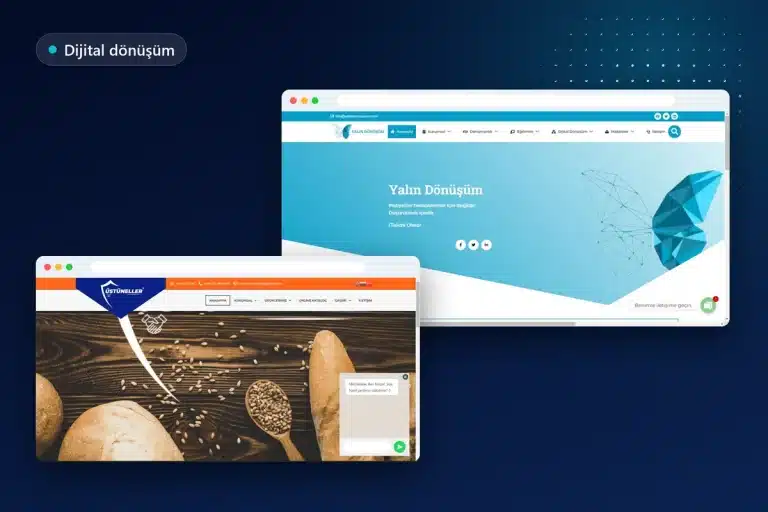
Affordable web design for small and medium-sized enterprises (SMEs) means allocating the budget to pages that bring in customers and to a solid foundation for the website, leaving the rest for later, rather than selecting the lowest-priced proposal. Starting with a fixed-price package, calculating annual expenses in advance, and growing the website in stages is the safest way to achieve a professional result with a limited budget.
This article covers Onur Freelance’s fixed package prices, which package suits which business, the order in which the budget should be spent, annual expenses beyond setup, areas where costs should not be cut, a brief comparison of ready-made platforms and WordPress, and the risks associated with free website builders.
What does affordable web design mean?
Affordable web design means building the simplest structure that meets a business’s current needs on infrastructure that will not prevent future growth. The difference between a cheap website and an affordable website becomes apparent at the end of the first year: a cheap website often leaves you with a result that cannot be migrated, cannot be updated, or needs to be rebuilt.
For an SME, the website’s main job is to reassure someone looking for the business and make it easy to get in touch. This job does not require dozens of pages, custom animations, or complex integrations; a clear homepage, pages explaining the services, a reassuring about us section, and a working contact setup meet the initial needs of most businesses.
That is why a budget decision starts with the question “what job will the website do” before the question “how much should be spent.” The minimum structure required for a service business collecting quote requests, a store selling products, and a clinic taking appointments is different.
Fixed packages: Which package suits which business?
At Onur Freelance, websites are offered in three packages with fixed starting prices, and maintenance is optional; the final price is determined by the number of pages and special requests, and the proposal is shared the same day. The businesses suited to each package can be summarized as follows:
| Package | Starting price | Who is it suitable for? |
|---|---|---|
| Single page | 12,000 TL | Businesses offering a single service that want a quickly prepared showcase for a campaign or promotion |
| Corporate | 15,000 TL | Service and manufacturing businesses that want to present their services on separate pages |
| E-commerce | 24,000 TL | Stores that want to sell their products online |
| Monthly maintenance (optional) | 500 – 2,000 TL per month | Those who want to delegate plugin and theme updates, backups, and small adjustments |
In all three packages, the website is prepared to work on mobile devices, SSL and basic SEO settings are configured, and training on using the administration panel is provided; the domain name and hosting are registered in the business’s name. When all content has been delivered, the corporate package takes an average of 5-7 business days. Details of additional items affecting the packages are listed on the web design prices page.
Budget priorities: Which pages come first?
With a limited budget, the first spending goes toward the pages customers look at when making a decision; elements such as a blog, gallery, multiple languages, and custom animations can be left for the second stage. The recommended order is as follows:
- Homepage: states what the business does, whom it serves, and how to reach it on the first screen.
- Service or product pages: start with the two or three services that generate the most inquiries.
- Contact page: phone, WhatsApp, form, address, and map.
- About us: the business’s history, team, and way of working.
- Legal texts: the privacy notice under KVKK (Turkey’s Personal Data Protection Law) and cookie information.
- References or project page: with real examples used with permission.
- Blog and additional pages: after the basic structure is established.
This order ensures that the website is functional from the first day. After launch, as it becomes clear which pages receive visits and which services generate inquiries, the next budget is directed according to this data.
What annual expenses are there beyond setup?
The cost of a website does not end with setup; the domain name and hosting are renewed every year, and if a paid theme or plugins are used, their licenses may also be annual. The following items are written into the budget plan from the start:
- Domain name renewal fee
- Hosting renewal fee
- Renewal of any paid theme, plugin, or form tool licenses
- Business email service
- Optional monthly maintenance (between 500 and 2,000 TL per month at Onur Freelance)
- Advertising budget if advertising is planned; this amount is paid directly to the advertising platform
- Content expenses such as professional photography, copywriting, or a logo
Some of these items depend on the business’s preferences and can be reduced to zero; the domain name and hosting, however, are essential for keeping the website running. Adding renewal dates to the calendar prevents an unpleasant situation such as the website going offline because a payment was forgotten.
The annual cost of a domain name depends on the chosen extension, such as .com or .com.tr, and the company where it is registered; hosting costs depend on the website’s size and visitor load. An entry-level hosting package is often sufficient for a single-page or small corporate website; an e-commerce website requires stronger infrastructure. Listing these two items separately for the first year and subsequent years in an affordable web design plan prevents the promotional first-year price from causing a surprise at renewal.
Page contents

Where should costs not be cut?
No matter how limited the budget is, mobile compatibility, page speed, SSL, regular backups, and legal texts should not be among the items cut; when these elements are missing, spending on the rest of the website also loses its value. A significant proportion of visitors open the website on their phones and immediately close a page that loads slowly or breaks on a phone.
How page experience is measured is explained in the Core Web Vitals article on web.dev: LCP measures loading, INP measures the response to interaction, and CLS measures unexpected shifts in page elements. In an affordable project, keeping these metrics in good shape is achieved by compressing images, avoiding unnecessary plugins, and choosing a lightweight theme, rather than buying expensive tools.
Backups are another area where costs should not be cut. When an update error or security issue occurs, a regularly created backup restores the website within minutes; a website without a backup may need to be set up again from scratch.
Let us define a scope that fits your budget together
During the free initial assessment, the business’s needs, the available budget, and the pages to be launched in the first stage are determined together; we clearly explain which package will be sufficient and which items can wait until later. A proposal based on the fixed package price is sent the same day, with additional items shown on separate lines.
Growth in stages: Foundation first, additions later
Growth in stages means launching the website with its basic structure and adding new pages and features as demand arises, instead of building the full scope on the first day; this approach spreads the budget over time and ties spending to actual needs. If the homepage, service pages, and contact page are sufficient at the first stage, a blog or a second language can be added a few months later.
The only condition for this approach is that the infrastructure must allow growth. Systems that limit the addition of pages, require a package upgrade for new features, or do not allow content to be moved elsewhere make growth in stages expensive. For businesses planning to start with a single page and move to a corporate structure, the infrastructure is selected with this perspective from the beginning.
An example plan could work as follows: in the first month, the homepage, three service pages, about us, and contact pages are launched. In subsequent months, a detailed page for the service that attracts the most questions and a few articles answering customers’ frequently asked questions are added. At the end of a year, the website has taken shape according to actual inquiries, without requiring a large one-time expense.
A ready-made platform or WordPress? A brief overview
Ready-made website platforms offer quick setup with a monthly subscription, while WordPress provides ownership and flexibility as an open-source system running on your own domain name and hosting; which option is suitable depends on the business’s growth plan. In the subscription model, the website runs on the platform’s server, and publishing may also stop when the subscription ends.
With WordPress, responsibility for hosting and maintenance belongs to the business or the person providing maintenance services; in return, the choice of theme, plugins, and hosting is unrestricted, and the website can be moved wherever you want. A detailed comparison of the two approaches in terms of ownership, portability, and cost can be found in the article comparing WordPress with ready-made website builders.

Risks of free website builders
Free website builders appear to promise zero cost at first glance, but free plans often do not allow the business to use its own domain name, publish without ads, or export its content. For a corporate business, these limitations can cost more than the amount saved. The main risks are as follows:
- The website address remaining a subdomain of the platform; it does not look professional on business cards or in advertising
- The platform’s own advertisements or logo being displayed on the pages
- Content being impossible to transfer to another system, requiring setup from scratch during migration
- Being unable to configure permanent redirects from old addresses to the new website
- The platform being able to change the plan’s terms or price unilaterally
- Limited options for adding measurement code, forms, and legal texts
The redirect issue is particularly important. Google’s documentation on moving a website with URL changes recommends using server-side permanent redirects from old URLs to new ones; if these redirects cannot be set up, a website that has operated on the platform’s subdomain for years leaves much of its accumulated search visibility behind when moving to a new address.
There is also a way forward for businesses already operating on a free platform. First, a domain name is purchased in the business’s name, the existing content and images are saved, and after the new website is built, a redirect from the old address to the new one, or at least a visible relocation notice, is added to the extent the platform allows. The addresses in Google Business Profile, social media accounts, and business cards are also updated the same day.
Budget-friendly approaches to content, images, and free tools
The biggest saving on content comes from using the business’s own knowledge: the business owner knows best how services are performed, what questions customers frequently ask, and how the work process operates. When this information is supplied as a rough draft, editing the text requires much less effort than writing it from scratch.
For images, real photographs of the business and team taken with a phone in daylight often inspire more trust than stock images. If there is no logo yet, or the existing one is outdated, starting with a simple logo and leaving the corporate identity for the next stage also helps balance the budget.
There are also free tools for visibility: Google Business Profile enables the business to appear on the map in local searches, Search Console enables monitoring of the website’s search performance, and GA4 enables monitoring of visitor behavior without paying an additional fee. Setting up these tools as soon as the website launches provides data for subsequent budget decisions.
What should you look at when comparing proposals?
When comparing proposals, compare the scope before the total amount: the number of pages, mobile compatibility, SSL, basic SEO settings, panel training, delivery time, and whose name the domain and hosting will be opened under should be stated with the same clarity in every proposal. Two prices that appear identical can produce completely different results because their scope differs.
Support after delivery, revision rights, and whether maintenance is paid or free should also be clarified in the proposal. A detailed list of the criteria affecting the price is explained in the article on criteria determining the price of a corporate website, while the questions to ask when selecting the person or company to work with are explained in the article on how to choose a website development company.
Common mistakes in projects with limited budgets
The most common mistake is looking only at the setup price and failing to account for annual expenses and the website’s portability. Other common mistakes include:
- Requesting every feature at the first stage and leaving an insufficient budget for the essential pages
- Leaving the domain name and hosting account in the designer’s name
- Skipping mobile compatibility and speed testing
- Assigning no one responsibility for backups and updates
- Choosing a proposal with no written scope solely on the basis of its price
- Starting with a free plan and ending up years later with a website that cannot be migrated
The right approach for SMEs is to fix the first stage’s scope in writing, prepare a list of annual expenses, and clarify responsibility for updates. If outsourcing maintenance is being considered, its scope is explained on the annual WordPress maintenance page, while the contents of the corporate package are explained on the corporate web design page.
Let us make a solid start with a limited budget
For businesses building their first website, looking for an alternative after receiving an expensive proposal, or wanting to move from a free platform to their own domain name, the first step is to share their needs and budget range. The package to start with and the additions to leave for the next stage are prioritized accordingly.
Frequently asked questions
Which website package is most suitable for SMEs?
The single-page package is suitable for businesses offering a single service, the corporate package for businesses that need to explain multiple services, and the e-commerce package for those planning to sell online. At Onur Freelance, the starting prices are 12,000 TL, 15,000 TL, and 24,000 TL, respectively.
What are the annual website expenses beyond setup?
Domain name and hosting renewals are mandatory annual expenses; paid themes, plugins, business email, and maintenance are optional. If advertising is planned, the advertising budget is paid directly to the platform.
What is the risk of having a cheap website built?
A website that cannot be migrated or updated, or whose domain name remains in someone else’s name, may soon need to be rebuilt. Affordability is achieved through solid infrastructure and a clear scope more than through a low price.
Are free website builders sufficient for businesses?
They may work for testing or very short-term use, but free plans generally do not provide your own domain name, ad-free publishing, or the ability to migrate content. For a corporate business, these limitations may become more costly over time than the amount saved.
Which features should not be given up when the budget is limited?
Mobile compatibility, page speed, SSL, regular backups, and KVKK texts are essential elements that should not be cut. Additions such as a blog, multiple languages, and animation can be left for the next stage.
Is WordPress cost-effective for SMEs?
WordPress is open-source, and because it runs on your own hosting, the website belongs to the business and can be migrated. Hosting and maintenance costs must be planned separately.
How much is the monthly maintenance fee?
At Onur Freelance, monthly maintenance is optional and costs between 500 and 2,000 TL depending on its scope. Updates, backups, and small content changes are handled within the maintenance scope.

Call us
Call us for detailed information.
Let us call you!
Share your number and let us call you!
Our other services
- › Corporate web design
- › E-commerce website development
- › SEO optimization
- › WordPress website development
- › Google advertising management
- › WordPress speed optimization
Service areas
- › Web design in Sakarya
- › Web design in Tekirdağ
- › Web design in Bursa
- › Web design in Beşiktaş
- › Web design in Şişli
- › Web design in Tuzla
- › Web design in Ümraniye
- › Web design in Kadıköy
- › Web design in Istanbul
- › Web design in Ankara
- › Web design in Ataşehir
- › Web design in Üsküdar
- › Web design in Kartal
- › Web design in Maltepe
- › Web design in Pendik
- › Web design in Kocaeli
- › Web design in İzmir
- › Web design in Antalya