
A website’s lifespan depends on its platform as much as its design: ownership, migration options, and future expansion follow from that choice. WordPress answers these questions with open-source software; the site runs on the business’s own hosting account, and its content and files remain with the business. For businesses commissioning WordPress sites, theme, plugin, and maintenance decisions after installation make the main difference.
This page explains why WordPress is chosen, how it differs from closed website builders, packages and starting prices, theme and plugin selection, the development process, and handover contents. Based in Gülsuyu, Maltepe, Onur Freelance builds WordPress sites through in-person or video meetings for Istanbul projects and entirely remotely elsewhere in Turkey and abroad.
Let’s plan your WordPress website
Share your industry, required pages, and any example sites you like on WhatsApp; we will send a suitable package and scope in a quote the same day.
Why choose WordPress? Open source and the GPL license
WordPress is an open-source content management system distributed under GPLv2 or later; there is no software license fee, and anyone can inspect its code. Written in PHP, it uses MariaDB or MySQL and runs on a standard hosting account. WordPress.org’s project introduction page states that this license provides four fundamental freedoms:
- Freedom to run the program for any purpose
- Freedom to study how the program works and modify it to suit your needs
- Freedom to redistribute the program
- Freedom to share copies of modified versions
For businesses choosing WordPress, this means independence. Even if the original developer changes, the software remains; another developer can take over the same dashboard, files, and database. WordPress.org also considers plugins and themes derivative works that inherit its GPL license.
WordPress versus closed website builders
The main difference is ownership and portability: WordPress runs on your chosen server, while closed platforms use their own infrastructure and rules. Subscription-based builders can suit short-term, simple needs, but growing businesses may encounter limits early.
| Criterion | WordPress (self-hosted) | Closed website builder |
|---|---|---|
| Software and code access | Open source; code can be inspected and modified | Proprietary platform software; limited or no code access |
| Server choice | Any hosting provider, with an account in the business’s name | Platform servers only |
| Portability | Files and database can be migrated together to another server | The site usually cannot be transferred unchanged outside the platform; rebuilding is required |
| Expansion | Plugin directory, licensed plugins, and custom development | Limited to platform applications |
| Cost structure | Hosting, domain, and any paid plugin licenses | Ongoing subscription; features change with the plan |
| Maintenance responsibility | Updates and backups handled by the owner or maintenance service | Platform handles infrastructure updates; owner handles content |
Maintenance responsibility is WordPress’s tradeoff: an open system carries risks if neglected. Regular updates and backups manage this workload, while suitable plugin choices reduce it from the start.
A closed platform is not always the wrong choice. A quick site may suffice for a short event or a business model still being tested. If the site becomes the business’s main marketing and sales channel, being unable to transfer content and search history can mean starting over.
Which WordPress structure suits your business?
The right structure depends on the main action expected from visitors: calling, completing a quote form, or buying directly. Three structures are common:
- One-page site: Presents the service, contact details, and a few project images in one scrolling page. Suitable for new businesses, tradespeople offering one service, and advertising landing pages.
- Corporate WordPress site: Includes about, detailed service, contact, and optional blog pages. Separate service pages support visibility across more search topics.
- WooCommerce e-commerce site: WooCommerce adds product, inventory, cart, payment, and shipping management to the same WordPress dashboard.
You can install WordPress yourself; many hosts provide automatic installers. The challenge lies in subsequent theme, plugin, security, and backup choices. Professional WordPress development addresses these decisions before launch.
Projects emphasizing design language, brand presentation, and corporate identity are explained on the corporate web design page, while payment and shipping details for stores are covered separately on the e-commerce website development page.
Page contents
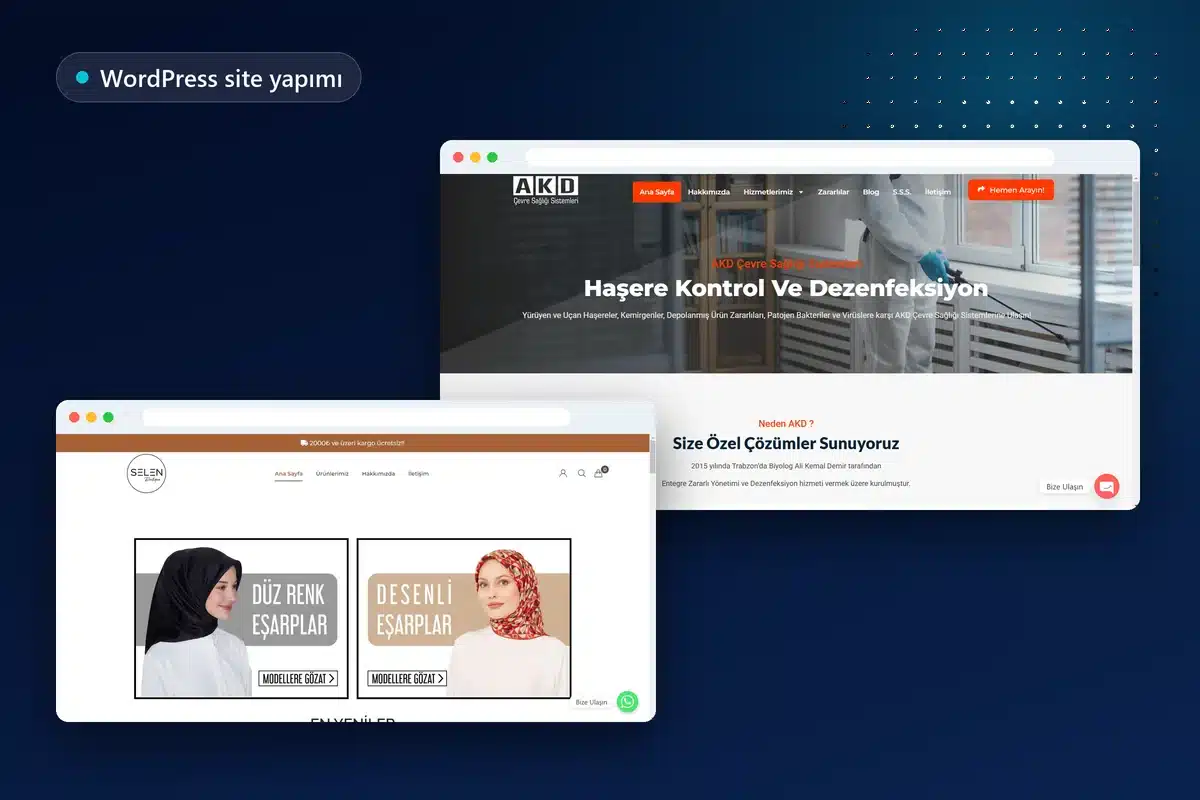
WordPress website packages and starting prices
WordPress packages start at 12,000 TL for one-page sites, 15,000 TL for corporate sites, and 24,000 TL for WooCommerce stores. Final pricing depends on page numbers, custom features, and product numbers.
| Package | Starting price | Suitable for | Delivery |
|---|---|---|---|
| One-page WordPress website | From 12,000 TL | New businesses, campaigns, or a single service | Planned according to scope |
| Corporate WordPress website | From 15,000 TL | Companies with multiple services | Average 5–7 business days with ready content |
| WooCommerce store | From 24,000 TL | Businesses selling online | Determined by product numbers and integrations |
All packages include mobile-friendly design and SSL, SEO foundations covering title and description fields, a sitemap and speed settings, and practical dashboard training; the business owns domain and hosting accounts. For a side-by-side package comparison, see the web design pricing page.
Choosing themes and page builders: block themes, classic themes, Elementor
The theme determines a WordPress site’s visible design, from colors and fonts to layout. The WordPress Theme Developer Handbook defines two main types: block themes and classic themes.
Block themes consist entirely of blocks; templates and global styles can be changed in the Site Editor without coding. The handbook positions this as the project’s future. Classic themes use PHP templates, have been supported since WordPress 1.5, and remain widely used.
Page builders such as Elementor provide visual flexibility through drag-and-drop editing and ready-made components, but add code and tie the design to the plugin. For Onur Freelance projects, the choice depends on who will edit the site and how often: page builders suit frequent additions and visual changes, while block themes suit simpler, speed-focused projects.
Plugin discipline: fewer, current plugins with clear purposes
Plugins are PHP software adding WordPress features; each means additional code running on the site. WordPress.org’s plugin management documentation notes that directory plugin quality varies and plugins not updated since the latest core release may be incompatible. Setup follows these principles:
- One task, one plugin: Two plugins doing the same job, such as two caching or SEO plugins, are not used together.
- Check updates: We review the latest update, tested WordPress version, and support forum responses.
- Licensed sources only: Cracked or nulled paid plugins and themes are not used; they may contain malicious code and receive no updates.
- Remove unused plugins: Inactive plugins still leave files on the server; they are deleted when no longer needed.
- Avoid plugins for built-in functions: If native features such as sitemaps and the block editor suffice, no separate plugin is installed.
Let’s define the package you need
A short conversation clarifies whether you need a one-page site, corporate site, or store. The written quote lists pages, functions, and delivery plans individually.

How does WordPress website development work?
A standard corporate WordPress site launches in an average of 5–7 business days with ready copy and images. E-commerce or booking functions extend the timeframe according to scope. The steps are:
- Requirements meeting and quote: We discuss industry, audience, page list, and special features; the quote is shared the same day.
- Domain and hosting: Accounts are created in the business’s name, or existing accounts are used; SSL is configured.
- Installation and basic settings: WordPress is installed; language, time zone, permalinks, and user accounts are configured. Search engine indexing is discouraged during development.
- Theme and design: The chosen theme uses brand colors, logo, and fonts, with desktop and mobile layouts planned together.
- Content entry: Text, images, and contact forms are placed; images are resized before upload.
- SEO infrastructure: Page titles, meta descriptions, sitemap, and basic speed settings are configured.
- Testing and launch: Forms, links, and mobile appearance are checked; the indexing restriction is removed at launch.
Hosting and technical requirements: what to check
WordPress hosting should support current PHP and database versions and HTTPS. WordPress.org recommends PHP 8.3 or later, MariaDB 10.11 or later or MySQL 8.0 or later, and HTTPS; Apache or Nginx are recommended server options.
WordPress may run on older PHP versions, but the same requirements page notes their official support has ended and they may introduce vulnerabilities. Cheap shared hosting using outdated software may lead to update problems. Hosting, domain, and WordPress administrator accounts use the business’s own email so the owner does not depend on another person for access.
What is included at handover?
The owner receives everything needed to manage and restore the website:
- Administrator account: A WordPress administrator account with a strong password linked to the business’s email
- Account ownership: Access details for domain and hosting accounts registered in the business’s name
- Dashboard training: Practical guidance on editing page text, adding images, publishing blog posts, and viewing form messages
- Full backup: A joint backup of files and database at launch
- Technical list: Names and license details of installed themes and plugins
The two backup parts belong together. According to WordPress.org’s backup guide, restoring a typical WordPress site requires both database and files; posts and settings are in the database, while images and theme files are on the server.
Training uses the site’s own pages: we edit a business service page, upload an image, and prepare a blog draft together. Training can be in person or online with screen sharing.
After delivery: updates, backups, and maintenance
WordPress work continues after handover; security and performance depend on regular core, theme, and plugin updates and checking backups. WordPress.org recommends weekly backups for small, rarely updated sites and daily backups for frequently updated sites, with several copies in different locations.
The owner can handle these tasks through the dashboard; training includes the update screen. Optional monthly maintenance for businesses without time is planned at 500–2,000 TL according to site size and scope. Included tasks appear on the annual WordPress maintenance and updates page.
Common mistakes when commissioning a WordPress website
Many later problems originate in setup decisions. Key mistakes and the appropriate approach include:
- Registering the domain in someone else’s name: Domain and hosting should always use the business’s own name and email.
- Publishing a theme demo unchanged: Leftover demo text and images reduce trust and create thin search content.
- Installing a plugin for every need: Conflicting plugins slow sites and increase update errors.
- Forgetting to remove the indexing restriction: If the development setting remains enabled, the site will not appear in search results.
- An ‘admin’ username and weak password: Predictable administrator accounts are prime targets for automated login attempts.
- Launching without a backup plan: There is no recovery copy when the first problem occurs.
Choosing which search keywords the site should appear for continues after development; this is covered separately in the SEO search engine optimization service.
Start your new WordPress website today
Whether you are still deciding or already have a page list, use the same contact line for information. Package recommendations and delivery plans are sent in writing after your message.
Theme update, speed, and licensing criteria are covered in the corporate WordPress themes guide.
Frequently asked questions
How long does WordPress website development take?
A standard corporate WordPress site with ready text and images takes an average of 5–7 business days. E-commerce and booking sites are scheduled according to scope.
How much does WordPress website development cost?
One-page sites start at 12,000 TL, corporate sites at 15,000 TL, and WooCommerce stores at 24,000 TL. Final pricing depends on pages, special functions, and product numbers; quotes are sent the same day.
What should I prepare for a WordPress website?
A logo, page list, service or product copy, and images speed up the process. If copy is not ready, we suggest a page structure and plan content together.
Is WordPress free?
WordPress is GPL-licensed open-source software without a license fee. A website still requires a domain, hosting, and any paid theme or plugin licenses.
Should I choose WordPress or a website builder?
WordPress is more flexible for long-term sites that will grow and may move to another server. Closed platforms launch quickly but limit code access, server choice, and portability.
Do I need technical knowledge to change text and images after launch?
No. Dashboard training lets you update page copy, images, and blog posts without coding. Content entry and regular updates can also be purchased as services.
Who are domain and hosting accounts registered to?
Domain and hosting use the business’s own name and email, so the owner does not depend on others for access.
Does a WordPress website need maintenance?
Keeping core, themes, and plugins updated and checking backups is necessary for security. You can do this through the dashboard; optional monthly maintenance is planned at 500–2,000 TL.






