A WordPress corporate theme is the design layer that determines the appearance of a company website, from header to footer and fonts to blog templates, and underpins all its pages. When choosing a corporate WordPress theme, the deciding factors are not the appeal of a demo image but regular updates, fast loading, keyboard usability, translation readiness, and whether the theme avoids locking in content when a change is wanted years later.
This guide covers the division of work between a theme and page builders such as Elementor, the difference between free and premium themes, examples verifiable by name in the WordPress.org directory, licensing and security, the effect of changing themes on search visibility, and checks after installation. Technical information is based on WordPress.org documentation and Google’s web.dev resource. Onur Freelance has no commercial connection with the developers of the themes mentioned.
Video transcript
How do you choose a corporate WordPress theme? Based on regular updates, speed, keyboard usability, translation support, and avoiding content lock-in, rather than the demo image. The theme organizes the website’s framework and shared rules, while a page builder such as Elementor organizes individual page content. Block themes may eliminate the need for a separate builder. Selection considers update history, speed measured with Core Web Vitals, keyboard navigation, translation support, and suitability for a child theme. Measurements are made on a test website rather than the demo. After installation, complete the site identity and menus, and open templates with real content. Delete demo content and unused themes, disable file editing from the dashboard, and test mobile speed. The things to avoid are clear: installing a nulled theme, tying forms and SEO settings to the theme, editing the parent theme’s code, and leaving a paid license in an account outside the business. Example themes verifiable in the directory and the SEO effect of changing themes are on the page. If you get stuck, you can write on WhatsApp. Onur Freelance dot com.
Let us decide on the theme for your corporate website together
When the pages to be included, who will update the website, and examples of websites you like are sent in a brief message, the appropriate theme approach is discussed in a free preliminary assessment. The proposal is shared the same day.
How do corporate themes work with page builders such as Elementor?
The theme organizes the website’s framework and shared design rules, while the page builder organizes the content area of individual pages; in most installations, they are partners rather than rivals. According to WordPress documentation, a theme consists of template files that change how the website is displayed without touching the underlying software.
Elementor is a plugin, and its drag-and-drop editor builds the content of service, about, or contact pages section by section. Even when a page builder is used, the following tasks remain on the theme side:
- The header, menu area, and contact and policy links in the footer
- Templates such as blog posts, category archives, search results, and the 404 page
- The overall color palette, fonts, heading sizes, and content width
- Shared components such as mobile menu behavior and the sidebar
For websites using a page builder, the less the theme imposes, the cleaner the result. Hello Elementor is an example of this approach: its WordPress.org description presents it as a lightweight, minimal theme developed to work in harmony with Elementor. Websites built with the block editor may not need a separate page builder at all, because block themes allow the header, footer, and templates to be edited in the Site Editor.
Free theme or premium theme?
For many companies looking for a WordPress corporate theme, a free theme from the WordPress.org directory provides a sufficient foundation; a premium version makes sense when additional design options, starter templates, or priority support will actually be used. The decision depends more on reliance on the paid tier than on price.
Theme pages in the directory label this distinction explicitly. Themes developed and supported by the community are marked “Community theme,” while themes offering paid upgrades or support alongside a free version are marked “Commercial theme.” Astra, GeneratePress, Kadence, and Hello Elementor belong to the second group; their free versions are installed from the directory, while additional features are sold on the developer’s own website.
If a premium version is being considered, the following questions should be answered before purchasing:
- If the license is not renewed, will existing pages break, or will only additional options be disabled?
- Do theme updates stop when the license is not renewed?
- Does the theme include its own shortcodes, custom post types, or slider plugin?
- Is GPL compatibility explicitly stated on the sales page?
The last question has a purpose. WordPress.org theme rules require paid themes distributed on other platforms by developers submitting themes to the directory to be fully GPL-compatible as well, with this information stated in an easily found place on the sales page.
Technical criteria for choosing a WordPress theme
A sound WordPress theme choice is based on update history, compliance with directory rules, speed, accessibility, translation support, and suitability for child themes. Each criterion reduces a risk that is invisible on the demo page but felt after launch.
Update frequency and version compatibility
Every theme page in the directory shows the last update date, minimum supported WordPress version, and PHP version. A theme that has not been updated for a long time carries a risk of incompatibility with newer WordPress versions and unpatched security vulnerabilities. Whether questions are answered in the support forum also indicates whether the developer continues maintaining the project.
WordPress.org theme directory rules
Every theme entering the directory is checked by a volunteer review team before publication and must meet the WordPress.org theme review requirements. These requirements say that tracking functions collecting visitor data must run only when enabled by the website owner, plugins must not be installed without user consent, and the theme must not retrieve files from external servers without permission. The same requirements treat shortcodes, custom post types, contact forms, and SEO settings as “plugin territory” and exclude them from the theme package. For a corporate website, this is a quiet safeguard: when the theme changes, forms and SEO settings remain in the plugin, and content is not locked to the theme.
Speed and Core Web Vitals
A theme’s speed is closely related to the amount of style and script files it loads on every page. Google’s web.dev Core Web Vitals resource measures page experience with three metrics: LCP for loading, INP for interaction response, and CLS for visual stability. When comparing candidates, measuring mobile performance on a test website with identical content produces more realistic results than using the theme demo. Slowness issues on a live website are addressed through WordPress speed optimization services.
Accessibility
A corporate website must also serve visitors navigating by keyboard or using a screen reader. Directory rules require the following minimum features in every theme:
- A skip-to-main-content link as the first focused element when the page opens
- Visible focus highlighting in menus, form fields, and text links
- Keyboard operation for every control usable with a mouse, including mobile menus
Themes carrying the “Accessibility ready” tag in the directory must meet additional requirements beyond these minimums. At the review date, the directory pages for Kadence, Hello Elementor, and Twenty Twenty-Five carried this tag.
Translation and right-to-left language support
Review requirements call for all theme text to be translatable using gettext; the “Translation ready” directory tag indicates this. If a version in a right-to-left language such as Arabic is planned, look for the “RTL language support” tag. Whether heading and body fonts render ğ, ş, ı, and İ fully is established by testing with real Turkish text rather than by a tag.
Suitability for a child theme
If the theme’s code will be modified, changes are written to a child theme rather than the parent theme. According to the child theme guide in the WordPress developer documentation, a child theme inherits the parent theme’s design and functionality, and customizations remain in place when the parent is updated. The same guide also notes that extensive customizations accumulating in a child theme can make maintenance harder, and that forking the theme into an independent theme may be more appropriate for such projects. For block themes where only colors and fonts will be adjusted, user settings in the Site Editor are often sufficient.
Page contents

WordPress corporate theme suggestions: Five examples verifiable in the directory
The five themes below are examples listed in the WordPress.org theme directory and commonly encountered on corporate websites; their order is not a performance ranking and makes no claim of a “best theme.” Information was read from the relevant directory pages on September 29, 2026; tags and features may change over time.
| Theme | Directory tag | Structure | Emphasis in its description |
|---|---|---|---|
| Astra | Commercial theme | Classic theme | Working with page builders such as Elementor and Beaver Builder, WooCommerce compatibility |
| Hello Elementor | Commercial theme | Classic, minimal framework | A lightweight foundation developed for Elementor; most design is done in Elementor |
| GeneratePress | Commercial theme | Classic theme | Focus on speed and usability, compatibility with the block editor and popular page builders |
| Kadence | Commercial theme | Classic theme | Drag-and-drop header and footer builder, starter templates |
| Twenty Twenty-Five | Community theme | Block theme | Service and landing page patterns, style variations, editing with the Site Editor |
All the themes in the table can be installed in their free versions. The right one depends on who will edit the website and with which tool: if the team is familiar with Elementor, Hello Elementor or a theme with strong page builder compatibility is a sensible start; if a simple structure using the block editor is wanted, a block theme such as Twenty Twenty-Five or GeneratePress is a reasonable starting point.
Whichever WordPress company theme is selected, testing with real content is decisive rather than the preview on the directory page. WordPress’s Live Preview feature allows a theme to be viewed with the website’s existing content before activation.
Licensing and security: GPL, paid licenses, and nulled theme risks
WordPress is distributed under the GPLv2 (or later) license, and WordPress.org’s license page argues that themes are works derived from WordPress code and therefore inherit the GPL. The same page acknowledges a legal gray area over what constitutes a derivative work. In practice, what is purchased with a paid theme is usually access to updates, support, and additional services from the developer more than the code itself.
A nulled theme is a copy of a paid theme distributed on unauthorized websites with license checking disabled, and it presents an unacceptable risk for a corporate website. WordPress’s security hardening documentation recommends avoiding themes and plugins from untrusted sources and restricting them to the WordPress.org repository or recognized companies. Web security company Sucuri’s article on this topic lists the main problems encountered in these copies as follows:
- Unauthorized website access and data theft through backdoors hidden in files
- SEO spam through hidden links or unwanted advertising scripts
- No updates or support from the original developer, with security patches never reaching the website
This section provides general information and is not a legal opinion.
Let us review the theme and plugin list before launch
The theme to be installed, required plugins, and license status are collected in one list; which components are actually needed becomes clear in the preliminary meeting. If a WordPress website is already live, its address can be added to the message.
Does changing a theme affect SEO?
Changing a WordPress corporate theme on a live website does not automatically change page URLs, but it can affect search visibility because it may change heading structure, internal links, speed, and structured data. The permalink structure is stored in WordPress settings; the risk arises in the HTML generated by the new theme and content tied to the old theme.
The points most often changed during a transition are:
- Whether the page title is coded as H1 and section headings as H2
- Whether internal links in the menu, sidebar, and footer appear in the new theme
- Shortcodes from the old theme remaining as unprocessed plain text on pages
- Breadcrumbs and structured data added by the theme disappearing or being duplicated by a plugin
- Cropped or unnecessarily large images loading because the image sizes defined by the theme have changed
For a safe transition, first test on a copy of the website; compare page titles, meta descriptions, canonical tags, and internal links between the old and new versions. After launch, monitor Search Console’s indexing and page experience reports for a few weeks. These theme-level HTML and crawling checks fall within technical SEO services.
Tasks after theme installation
The tasks after activating a theme aim to complete the website’s identity, navigation, and security for the new theme. The recommended sequence is:
- Site identity: Define the logo, site icon, and site title; enter brand colors and fonts in the theme’s global style settings.
- Homepage setting: Select a static homepage and a separate blog page in Reading settings.
- Menus: Set up the top menu, mobile menu, and footer links; add policy pages such as KVKK (Turkey’s Personal Data Protection Law) and cookie notices to the footer.
- Template check: Open individual posts, category archives, search pages, and 404 pages with real content and review them individually.
- Demo cleanup: Remove imported sample pages, sample images, and plugins installed for the demo but not used.
- Theme list: Delete unused themes other than the active theme and a default theme that can be activated temporarily when needed.
- File editor: Disable dashboard editing of theme and plugin files with a constant added to wp-config.php, as recommended by the security documentation.
- Final test: Test mobile speed, keyboard navigation, and form submission.
Regular theme and plugin updates and backup checks are the routine after delivery. Details of this routine are explained on the annual WordPress maintenance and updates page; optional monthly maintenance is planned in the 500–2,000 TL range.
Common mistakes when choosing a WordPress corporate theme
The most common mistake is choosing a theme by its demo appearance without considering the website’s real content and maintenance burden. Other common mistakes and the correct approach appear below:
- Leaving every module of a multipurpose theme enabled: Disable unused slider, animation, and portfolio modules.
- Entrusting forms or SEO settings to the theme: Use plugins for these tasks so they are not lost when the theme changes.
- Editing the parent theme’s code directly: Move every code-level change into a child theme.
- Using two tools for the same task: Using the theme’s header builder and the page builder’s header feature on the same website means conflicting styles and heavy pages; choose one.
- Leaving the license in the installer’s account: Purchase the paid theme license through the business’s account or transfer it in writing.
- Updating without a backup: Back up the files and database before updating the theme.
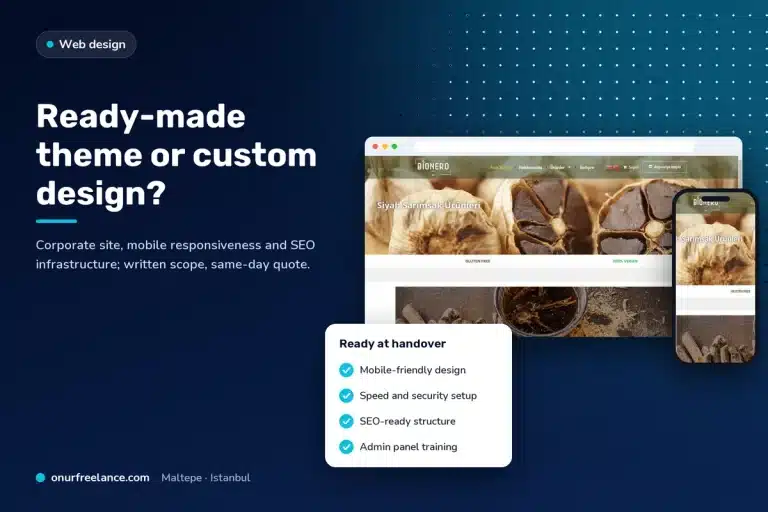
Ready-made theme or custom design?
A ready-made WordPress corporate theme provides a fast, economical foundation for websites whose page structures fit standard patterns; custom design comes to the fore when a brand needs to be visually distinct or requires an unusual function. In practice, the decision is not between two extremes but about the extent of theme customization. Shaping a reliable theme around the brand identity is a balanced route between budget and maintenance for many companies. The strengths and weaknesses of both approaches are compared in detail in the ready-made theme or custom design guide.
The difference between common practice and planned theme selection
In common practice, the theme is chosen by looking at the catalog demo, and content is later fitted into that pattern; in Onur Freelance’s corporate projects, the order is reversed. First, the page list and the habits of the team updating the website are established, and the theme is selected for that need.
| Decision point | Common practice | Planned approach |
|---|---|---|
| Starting point | A demo that looks appealing | Page list and content plan |
| Editing tool | Every tool recommended by the theme | One tool the team will use: The block editor or Elementor |
| Plugins | The entire package requested by the demo | A small number of plugins with defined tasks |
| Licenses and accounts | Held by the installer | In the business’s name |
| Delivery | Dashboard password | Dashboard training, complete backup, and an inventory of installed themes and plugins |
The corporate website package starts at 15,000 TL; if content is ready, a standard corporate website goes live in an average of 5–7 business days. The domain and hosting are opened in the business’s name, and the website is built with mobile compatibility, SSL, and an SEO foundation. Installation steps are explained on the WordPress website development page, the design approach on the corporate web design page, and package comparisons on the web design prices page.
Let us start your corporate WordPress website with a solid foundation
A conversation can begin even if the WordPress corporate theme decision is not yet settled; after discussing the page list, editing tool, and budget, a written proposal is sent the same day. Companies wanting to move an existing website to a new theme can reach us at the same number.
Situations requiring the website to be reconsidered from the ground up rather than a theme change are explained in the corporate website redesign guide.
Criteria to look for in a website built from scratch instead of using a ready-made theme are collected on the professional website development page.
The option of creating a draft with artificial intelligence tools instead of a ready-made theme is covered in the building a website with artificial intelligence article.
Pages and features that a website should include regardless of theme choice are listed in the what a corporate website should be like article.
For those wanting to add online sales to the same infrastructure, the building an e-commerce website with WordPress guide can be consulted.
The options and limitations of building a free website without theme or hosting expenses are explained in a separate article.
Choosing a heavy theme and page builder can later turn into a speed problem; the causes and order of solutions are covered in the WordPress website loads slowly guide.
Related guides
Frequently asked questions
Should a WordPress corporate theme be free or premium?
For many corporate websites, a free theme in the WordPress.org directory provides a sufficient foundation. A premium version is preferred if additional design options, starter templates, or priority support will actually be used.
Which theme should be chosen if Elementor will be used?
For websites built with Elementor, a minimal theme that leaves the design work to the page builder is suitable. Hello Elementor was developed for this purpose; Astra and GeneratePress also emphasize page builder compatibility on their directory pages.
Why is using a nulled theme risky?
Copies with license checking disabled do not receive official updates, and backdoors or spam code may have been added to their files. WordPress’s security documentation recommends obtaining themes and plugins only from trusted sources.
Will Google rankings fall after changing a theme?
As long as page URLs are preserved, a theme change alone is not a cause of decline, but changes to heading structure, internal links, and speed can affect visibility. First test the transition on a copy of the website, and monitor Search Console reports after launch.
Is a child theme necessary on every website?
No; it is used when code changes will be made to the theme’s PHP, CSS, or template files. On websites where only colors, fonts, and layout settings are adjusted, theme settings or the Site Editor are sufficient.
Should you choose a block theme or a classic theme?
A block theme suits websites that will use the block editor and need templates to be edited without touching code. For websites built with a page builder such as Elementor, classic themes with strong page builder compatibility are widely preferred.
How much does a corporate WordPress website cost?
The corporate website package starts at 15,000 TL; the exact amount is determined by the page count and requested functions. A one-page website starts at 12,000 TL, an e-commerce website at 24,000 TL, and the proposal is shared the same day.
What happens if a WordPress theme is not updated?
An outdated theme carries a risk of incompatibility with newer WordPress versions and unpatched security vulnerabilities. The last update date on the directory page and replies in the support forum indicate whether the theme is maintained.

Call us
Call us for detailed information.
Let us call you!
Share your number and let us call you!
Our other services
- › Corporate web design
- › E-commerce website development
- › SEO optimization
- › WordPress website development
- › Google Ads management
- › WordPress speed optimization
Service areas
- › Web design in Sakarya
- › Web design in Tekirdağ
- › Web design in Bursa
- › Web design in Beşiktaş
- › Web design in Şişli
- › Web design in Tuzla
- › Web design in Ümraniye
- › Web design in Kadıköy
- › Web design in Istanbul
- › Web design in Ankara
- › Web design in Ataşehir
- › Web design in Üsküdar
- › Web design in Kartal
- › Web design in Maltepe
- › Web design in Pendik
- › Web design in Kocaeli
- › Web design in İzmir
- › Web design in Antalya